Thumbnail, list & carousel
Switch between visual browsing and compact scanning. Adjust the card zoom to fit more on your screen.
Your browser. A little more organised.
Turn a long list of links into a visual workspace. Explore your bookmarks, keep them beside your browsing, and search the web your way.
Available for Chrome, Microsoft Edge and Vivaldi · No local service required
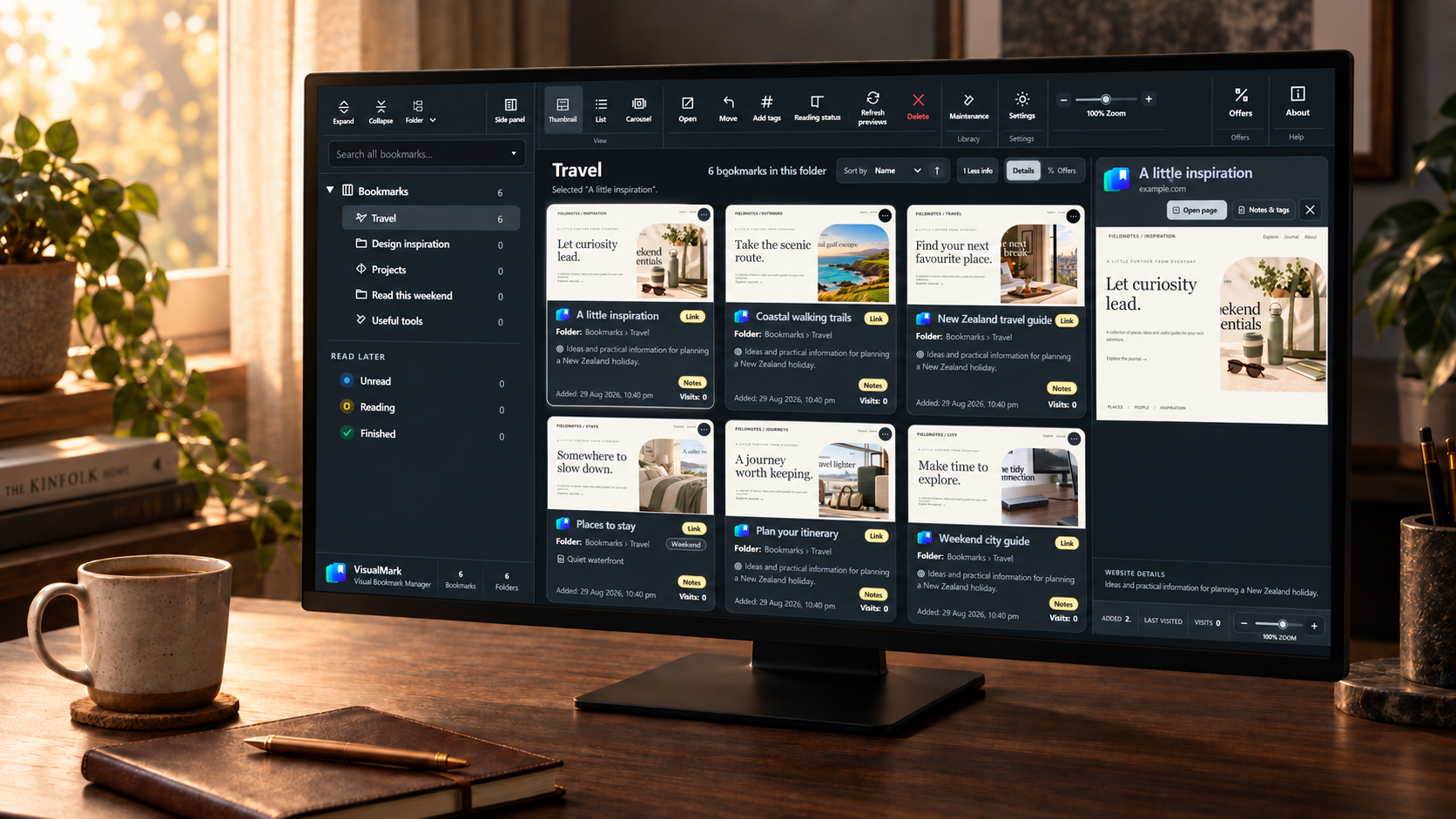
01 / YOUR COLLECTION, IN FOCUS
Recognise a page by its thumbnail, scan a tidy list, or browse with the carousel. Your folders and saved details stay close in every view.
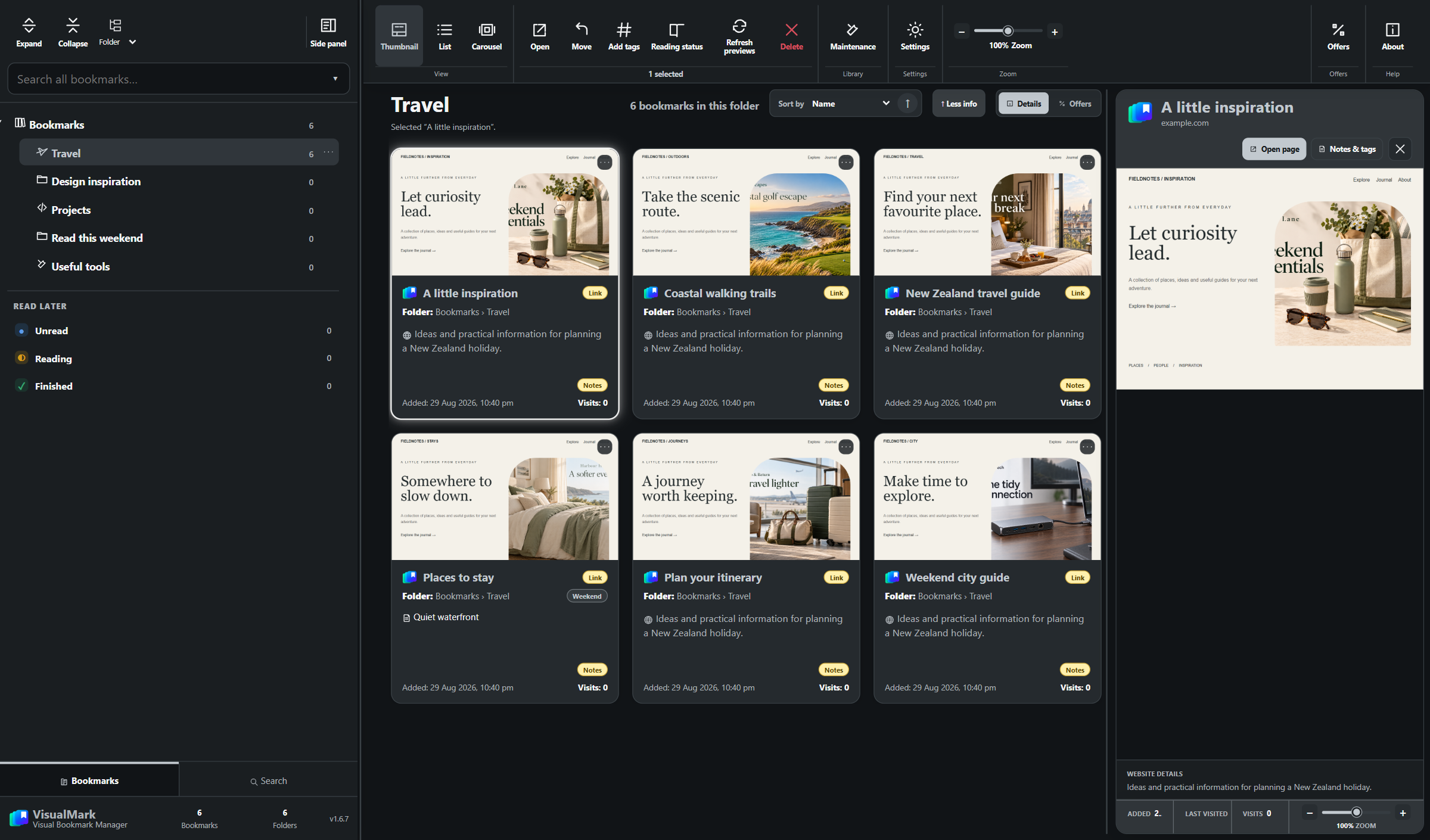
Recognise a saved page at a glance. Open the preview beside your collection for a closer look.
Switch between visual browsing and compact scanning. Adjust the card zoom to fit more on your screen.
Navigate your familiar folder tree, or regroup the navigation alphabetically or by website domain.
Order by name, domain, date added, last visited or visit count. Reverse the direction whenever you need.
02 / KEEP YOUR PLACE
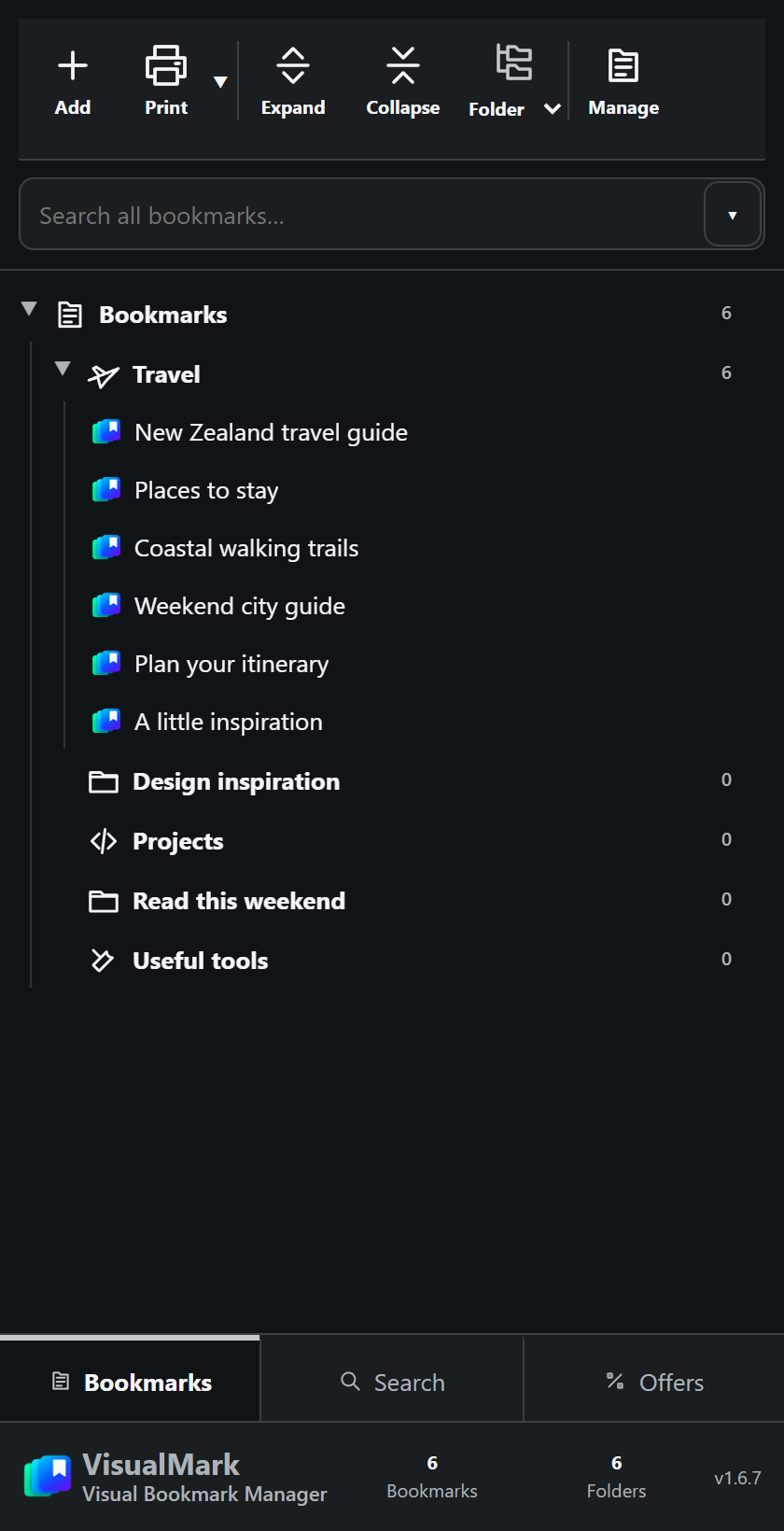
Research a trip, work through a project or revisit a favourite site. The native side panel keeps your collection within reach while your current page stays open.
Expand your folders, find nested bookmarks and pick up where you left off.
Hover over a bookmark or focus it with the keyboard to see its cached page preview.
Search your saved collection and use bookmark and folder context menus without opening the full manager.
Keep the page you’re reading open, with your saved places right beside it.
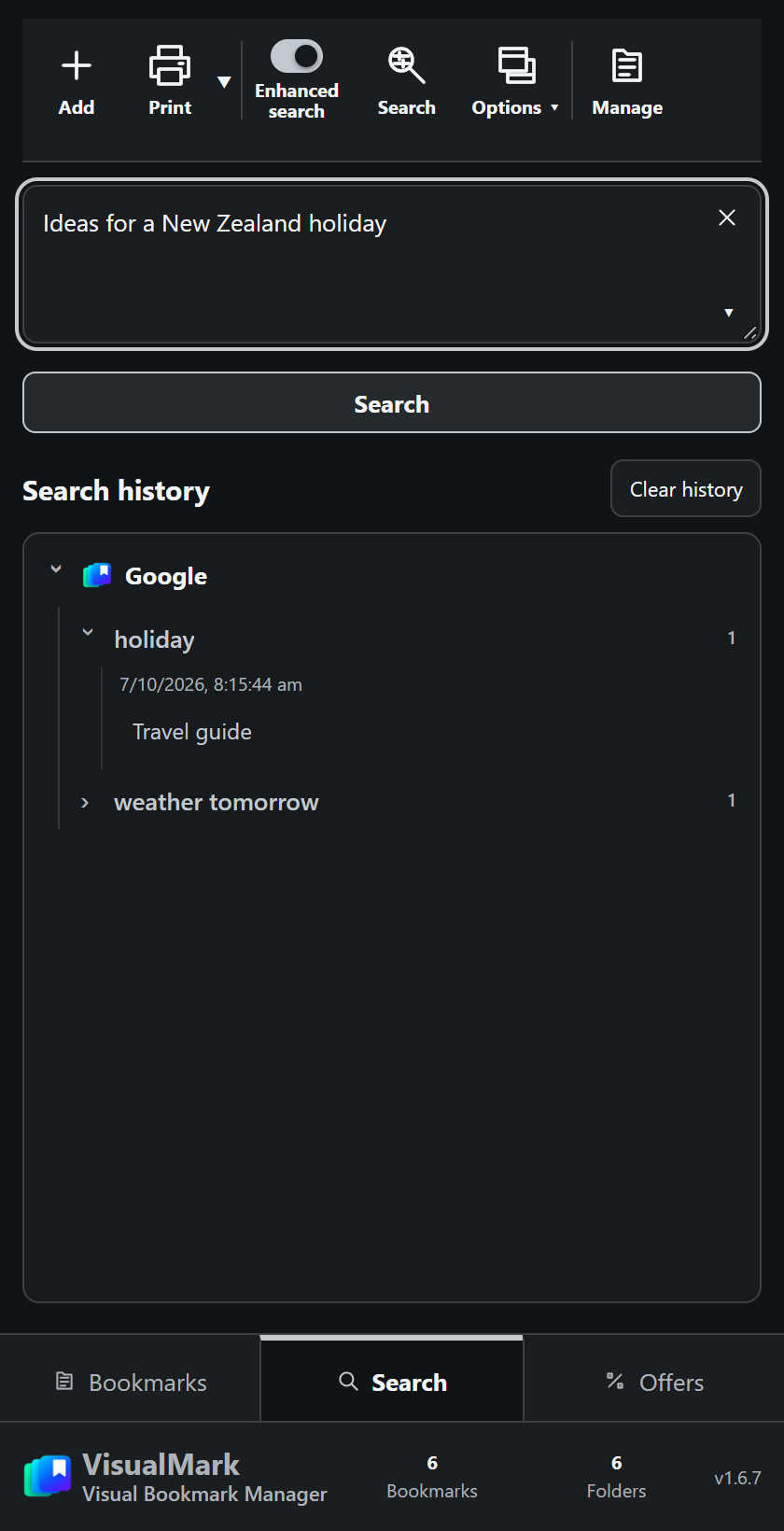
03 / SEARCH YOUR WAY
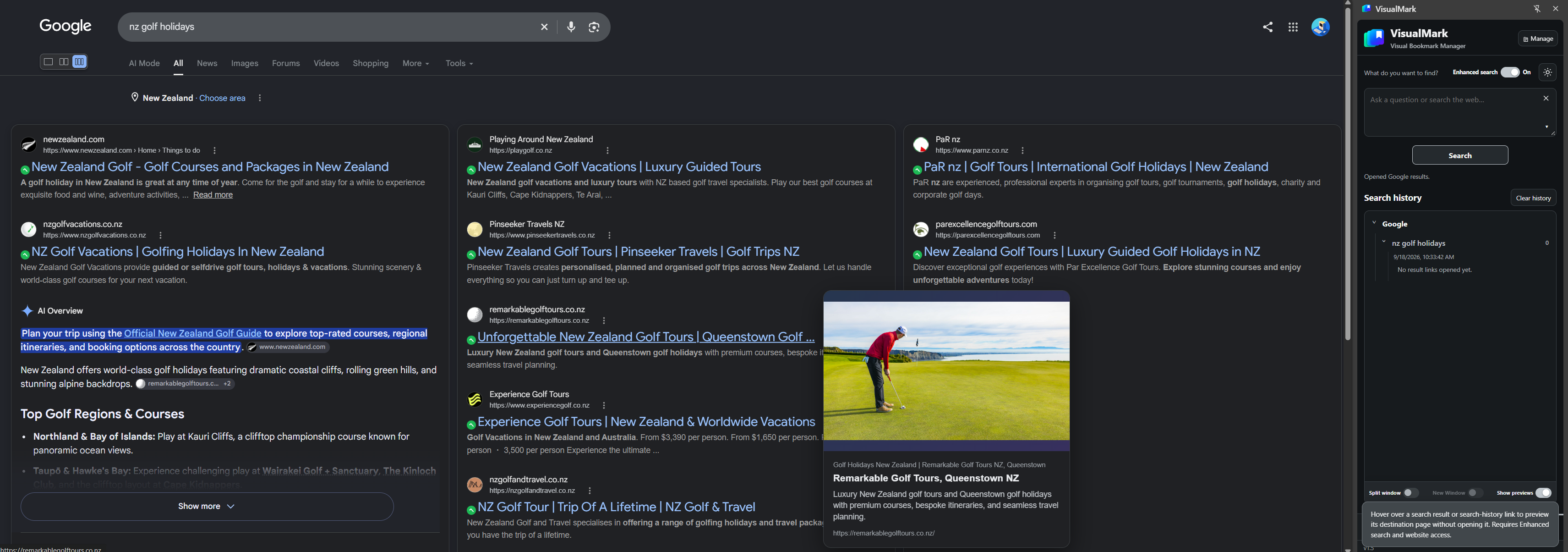
Switch to Search at the bottom of your side panel. Write a question, choose your engine in Search settings, and keep your search history beside you.
Use the normal layout, two panels or three panels. Combine up to three result pages for a broader view.
Use Split window to arrange results and a companion page side by side. Choose Open new window when you want a separate destination.
Hover over a result link to preview its destination. Keep recent queries and visited results close in your search history.
Multi-panel layouts enhance Google results. Other engines open their own search pages. Some websites restrict live previews.
04 / PRINT & SAVE PDF
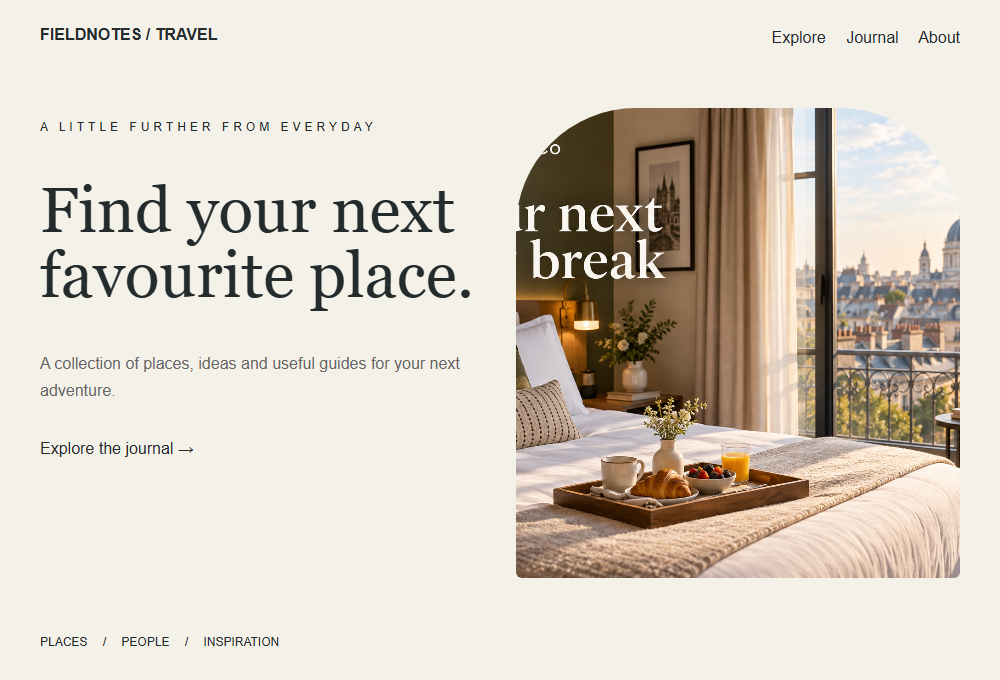
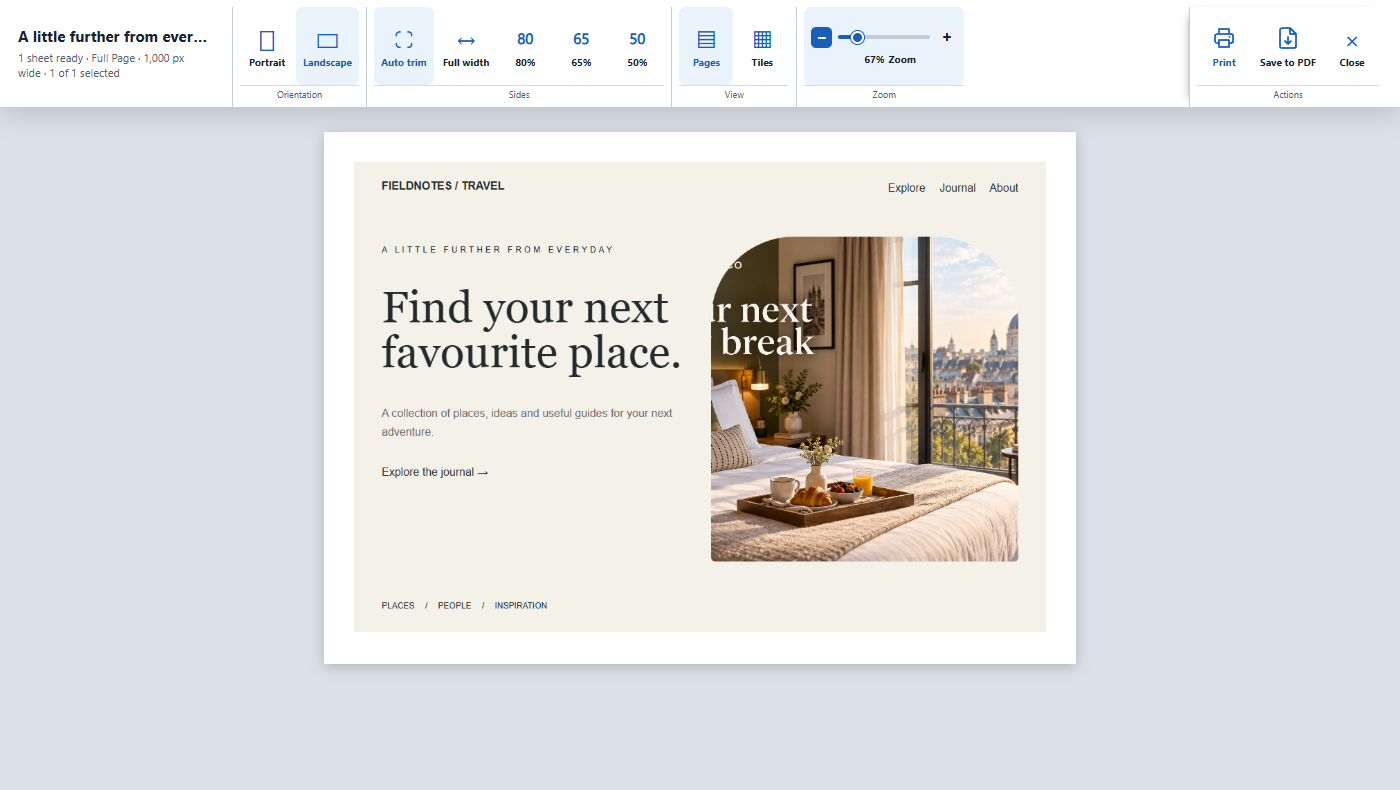
Keep a webpage as it appeared when you found it. Capture the full page, check the preview, then print it or save it as a PDF.
Capture the webpage as an image, preserving its visual appearance.
Choose portrait or landscape and check the page layout before printing.
Print your capture or use Save to PDF to keep a copy.
Captured webpage
Print preview / Save to PDF
Small details. Everyday difference.
Useful tools for keeping a growing collection organised, personal and easy to come back to.
Add your own notes alongside website information, so a useful page comes with useful context.
Tag bookmarks for projects, topics or plans, then find the right page through your saved collection.
Track reading status and set a reminder for a page you want to come back to.
Choose from nine colour themes, four icon styles and adjustable thumbnail zoom.
Find duplicate bookmarks, check for dead links and refresh missing or outdated previews.
Export standard bookmark HTML, or a rich VisualMark backup with notes, tags and available preview images.
Print a bookmark or a whole folder, share useful links, and copy or save a cached preview image.
Drag bookmarks into folders, use familiar cut, copy and paste commands, and choose recognisable folder icons.
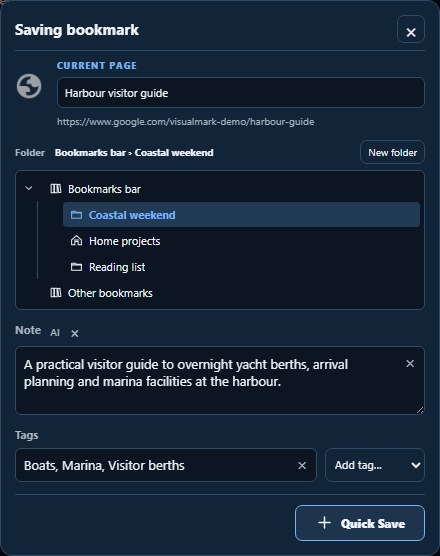
Quick Save captures the current page with an editable title, folder, note and tags. Cached previews are reused when you return.
The desk photograph is an AI-generated product illustration. Interface captures use the current extension with a fictional example library, not personal bookmarks. Appearance varies with your theme and settings.
VisualMark Pro
Less time updating previews. More ways to find what matters. Add background capture, local AI, offline pages and collections that follow you between devices.
See Pro plans and pricing ↓Keep preview images beyond the Standard edition’s 200-preview limit. Use two-page previews or capture a full page in your browser.
Let Pro Cloud prepare previews in the background, with desktop-assisted capture where available. Use browser capture for pages that need your sign-in or access.
Generate editable summaries, topic tags and folder suggestions with a supported local AI writing model. Your edits stay in your control.
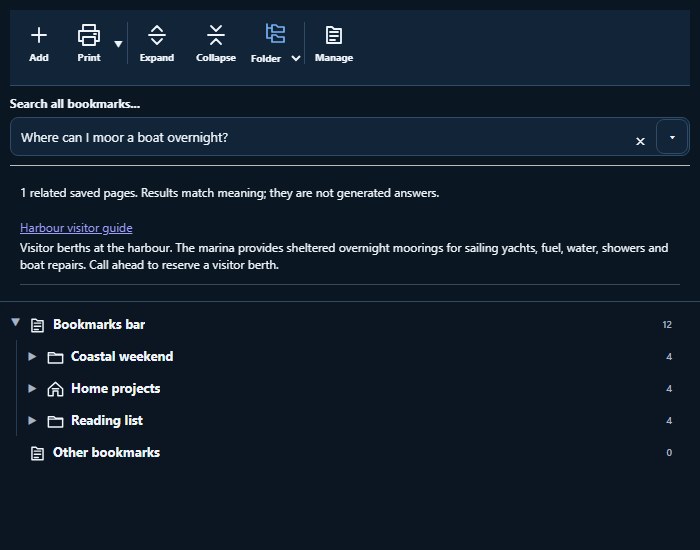
Ask a question about saved page text, even when your question uses different words. New and refreshed captures are indexed in the background on supported browsers.
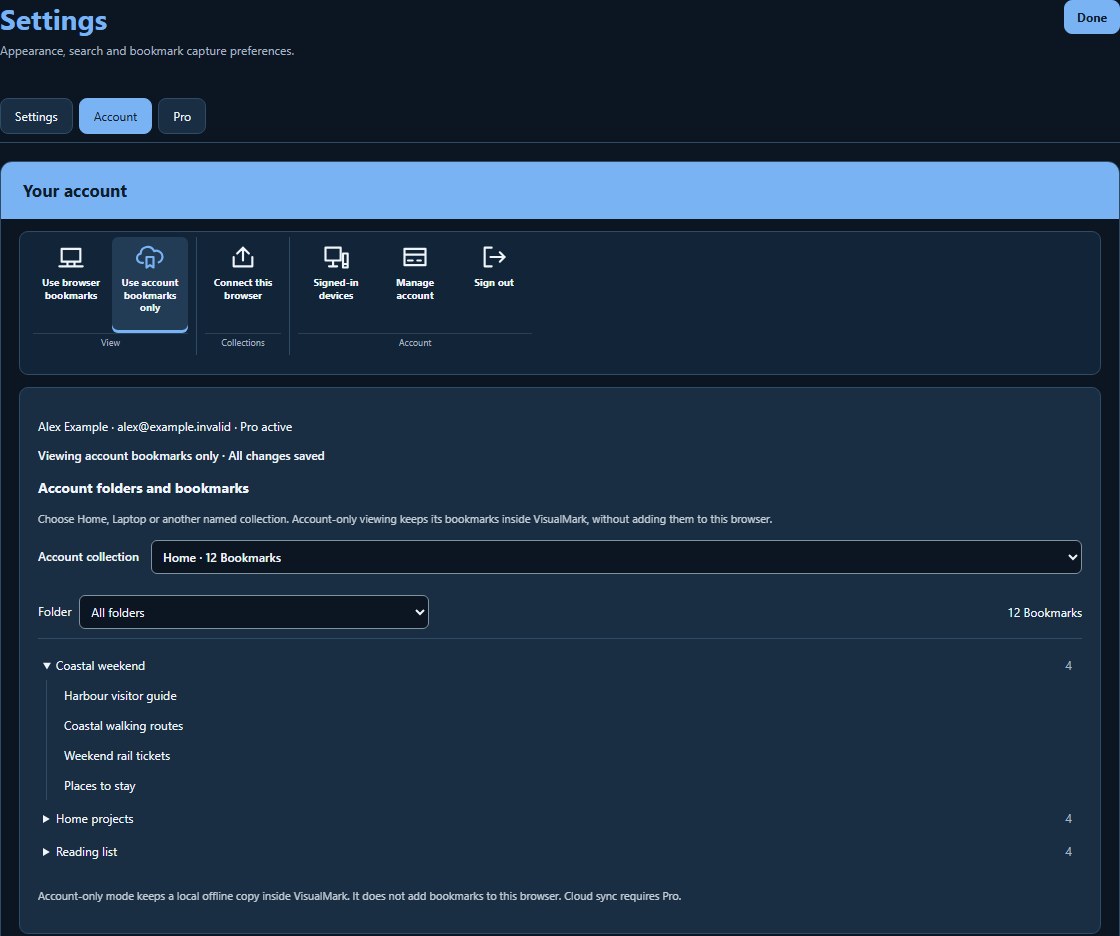
Sync named bookmark collections automatically. On a shared computer, open account bookmarks inside VisualMark without adding them to that browser’s bookmarks.
Save an offline webpage archive when refreshing a preview, then open the downloaded copy when you have no internet connection.
Enable automatic local bookmark backups and link checks, with a retained backup history and tools for recovering your collection.
Pro hides all offers, leaving your bookmarks and tools at the centre of the experience.
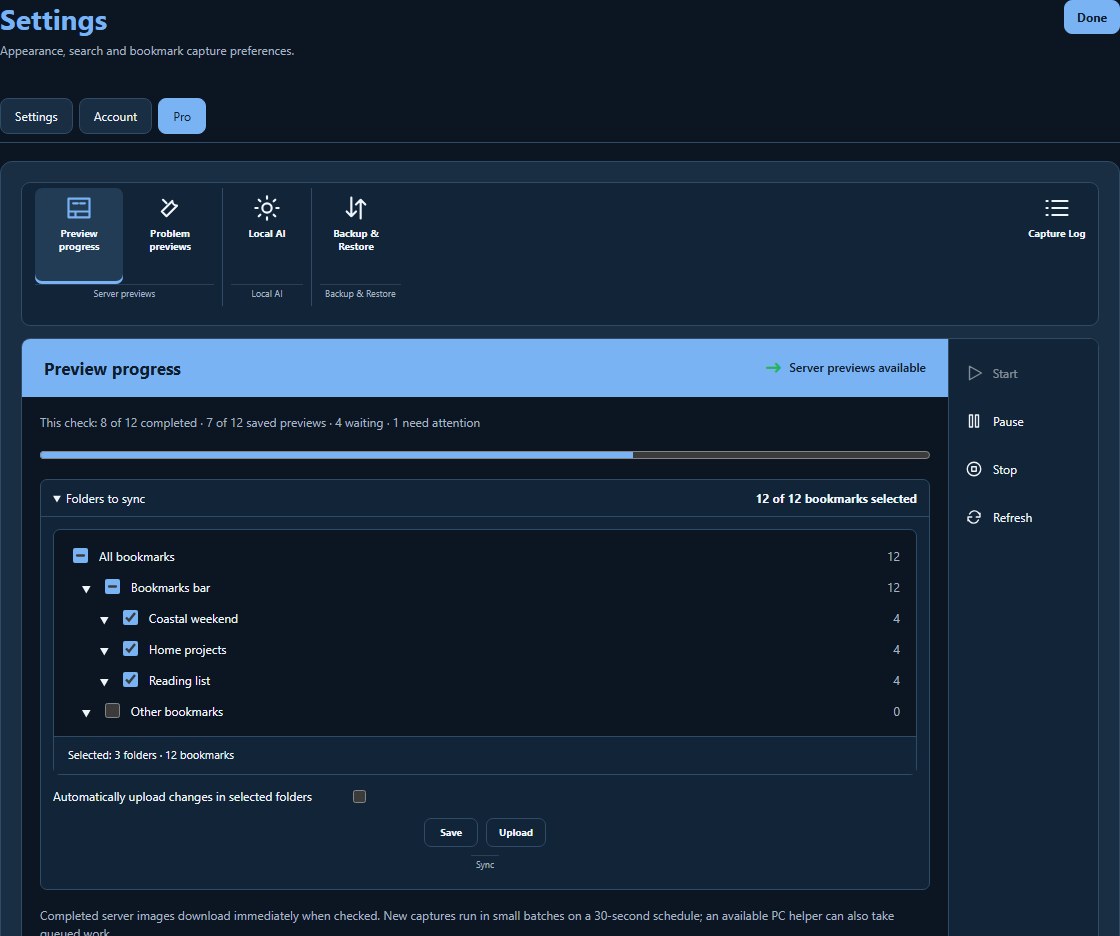 View full size ↗
Choose folders, follow capture progress and see which pages need your browser.
 View full size ↗
Review a page summary, topic tags and a suggested folder before saving.
 View full size ↗
Choose Home or Laptop and keep a shared computer’s own bookmarks separate.
 View full size ↗
Search prepared saved-page content with a question, then open a matching bookmark.
Screenshots show the current extension with a fictional example library and illustrative AI and cloud results. No personal bookmarks are shown. Appearance and local AI availability vary with your browser, device and settings.
Choose your VisualMark
Keep the familiar bookmark tools for free, or add the same Pro features with monthly or yearly billing.
Prices are in USD. Applicable taxes are calculated and shown at checkout. Once available, subscriptions renew automatically unless cancelled before renewal. Manage cancellation through your account; access normally continues to the end of your paid period.
Both paid plans include the same Pro features. Cloud capture, storage and retention allowances apply: Pro does not include unlimited server processing or permanent cloud storage. Offline viewing requires a successfully downloaded archive; some websites restrict capture.
| Feature | Standard · Free | Pro |
|---|---|---|
| Browser bookmarks and folders | Included | Included |
| Thumbnail, list and carousel views | Included | Included |
| Side panel and Quick Save | Included | Included |
| Notes, tags, reading status and reminders | Included | Included |
| Folder, A–Z and domain navigation | Included | Included |
| Themes, icon styles and thumbnail zoom | Included | Included |
| Bookmark, notes, tags and saved-text search | Included | Included |
| Web search, search history and supported Google layouts | Included | Included |
| Preview images | Up to 200 | No 200-preview cap |
| Single-page browser previews | Included | Included |
| Two-page previews and full-page browser capture | — | Included |
| Scheduled folder refresh with a cancellation warning | Included | Included |
| Background cloud preview capture and progress | — | Included; account allowances apply |
| AI-generated notes, tags and suggested folders | — | Supported local model required |
| Suggested AI-organised folder view | — | Review before changing your collection |
| Question-based search of saved page content | — | Supported local matching model required |
| Automatic indexing of new and updated saved text | — | Supported browser and downloaded model required |
| Offline webpage archives | — | Saved with preview updates |
| Named account collections and automatic sync | — | Included; account storage limits apply |
| Account-only viewing on a shared computer | — | Keeps native browser bookmarks separate |
| Duplicate detection and link maintenance | Included | Included |
| Automatic local backups, history and link checks | — | Included; history limits apply |
| Manual export, restore, printing and PDF tools | Included | Included |
| Offers | Optional | Hidden |
Your browser bookmarks remain yours. Connecting a browser to a named collection is a deliberate choice. Account-only viewing lets you use a collection inside VisualMark without importing it into the local browser.
The supported local models process page text on your device. Downloadable model files come from Hugging Face. Separately, account sync stores your chosen collection on VisualMark’s server, and Pro Cloud processes the pages you submit for remote capture. See our privacy policy for details.
On supported browsers, saved page text is indexed in the background after capture or download. The existing collection needs an initial preparation pass, and a changed model needs a new index. Searches use prepared entries while the remaining pages catch up. Standard text search remains available.
Some websites restrict automated access or need your signed-in browser. Capture those pages in your browser when possible. Offline viewing uses a downloaded archive; live services, protected media and interactive features may still need an internet connection.
The browser and computer must be running. A scheduled folder refresh shows a cancellation warning before it starts. A missed schedule is handled when the browser is available again.
Read the Terms of Service and Privacy Policy, or contact support.
A LITTLE DISCOVERY, ON YOUR TERMS
Browse offers by a category you select. Your bookmark collection and browsing history are never used to select them.